Choose the item you want to create
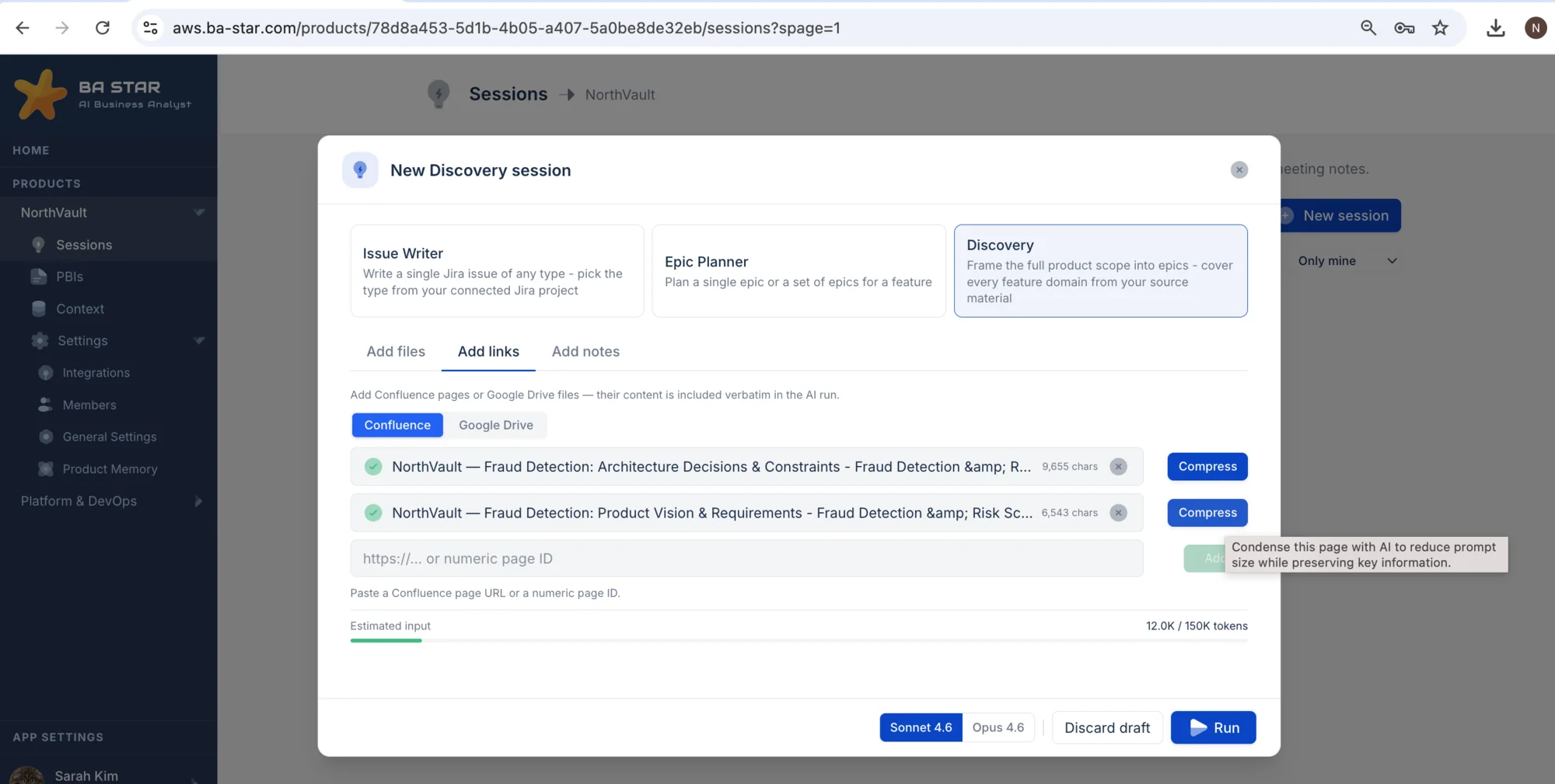
Select a single issue, an epic, or a full list of epics.
Attach Confluence pages, Drive files, documents and notes.
BA Star applies your templates, acceptance criteria conventions, business rules, terminology, team structure, technical constraints and past decisions.
It finds the context that matters
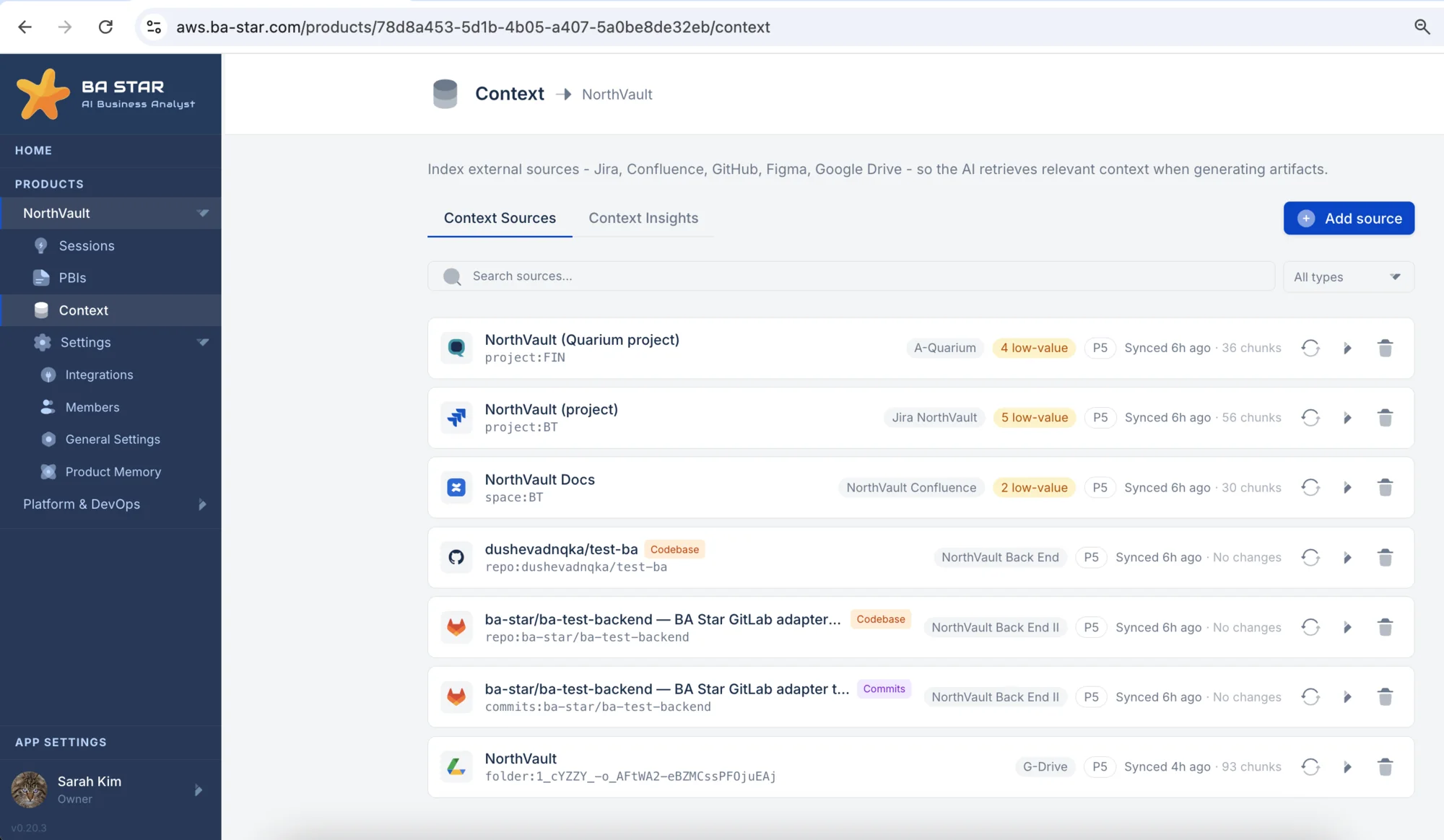
Product knowledge is usually spread across multiple sources: Jira, Confluence, GitHub, Figma, various documents, meeting transcripts, decision logs and others.
BA Star retrieves only the relevant information for the specific task. Instead of filling the AI prompt with a random dump of data, it identifies the context that matters, filters out irrelevant information and accounts for conflicting information before generation.
A draft is ready for your review
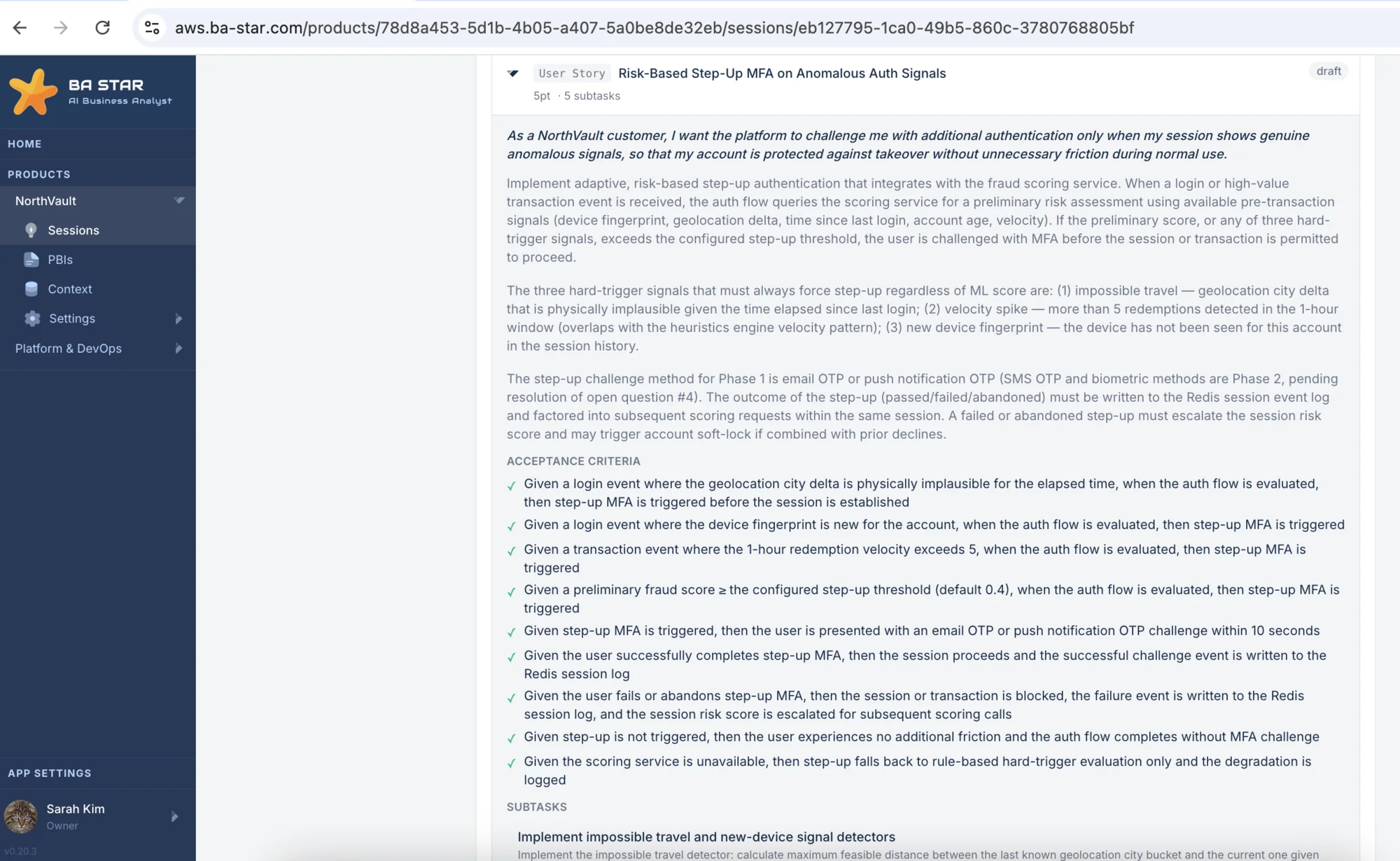
Once the relevant context has been assembled, BA Star uses advanced AI models to produce a structured draft of the backlog item you have selected: epic, story, task, bug, spike or other.
What is more, the generated requirements can be traced back to the product knowledge behind it, so you can see why they were included and verify the context. The output is something you can inspect, not something you have to trust.
Approved changes go to Jira
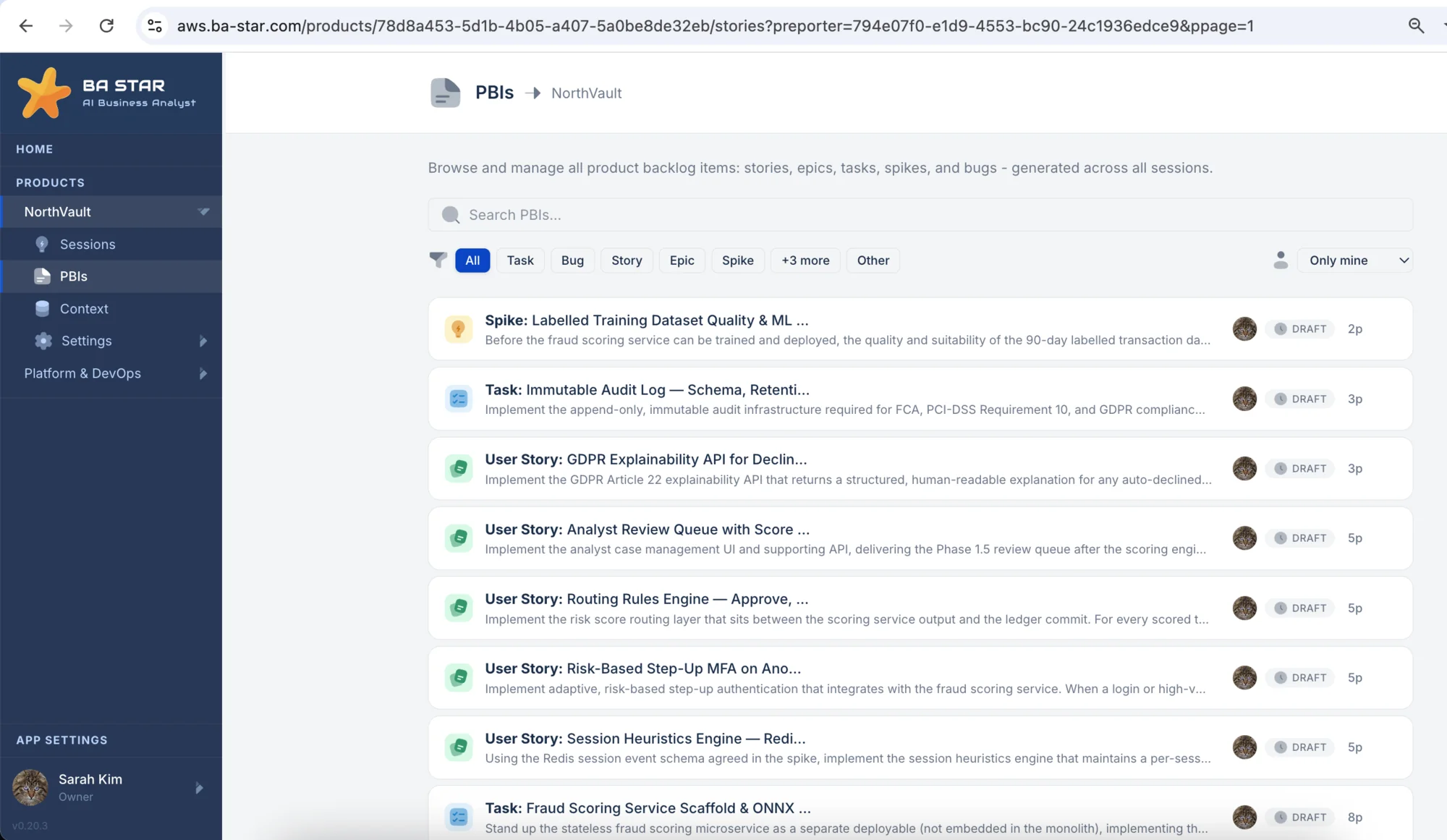
BA Star does not autonomously make product decisions or change your backlog. It prepares work for people.
Inspect it, modify it, reject it or approve it. Only approved changes are published to your project management system.
BA Star accelerates Business Analysis. It does not remove human judgment.
Your product knowledge, wherever it lives
Connect your tools to BA Star - you will never have to copy and paste context again.
Jira
Cloud · Data CenterExisting epics, stories, and tasks - BA Star understands your backlog history, issue types, and project patterns before writing a single new item.
Confluence
Cloud · Data CenterSpecs, architecture docs, decision logs, and team wikis. BA Star reads your Confluence spaces so generated tickets reflect decisions already made - not assumptions.
GitHub
Cloud · Enterprise ServerYour codebase, function-level structure, READMEs, and architecture. BA Star reads across 20+ languages so technical stories align with how your system is actually built.
GitLab
Cloud · Self-hostedRepositories, merge requests, and issue history. BA Star connects to both GitLab.com and self-hosted instances for teams that keep their code on-premise.
Figma
CloudFrames, components, design tokens, and comments. BA Star reads your designs so stories can reference the correct UI elements and flows without the BA having to describe them manually.
Bitbucket
Cloud · Data CenterRepositories and pull request history. BA Star reads your Bitbucket code so technical stories stay aligned with how your system is structured and versioned.
Azure DevOps
Cloud · ServerWork items, boards, and repositories. BA Star integrates with Azure DevOps so teams on the Microsoft stack can generate tickets that fit their existing project structure.
Aha!
CloudRoadmaps, features, and strategic goals. BA Star reads your Aha! workspace so stories connect directly to the product strategy and initiatives behind them.
Zoom
CloudZoom meeting transcripts and VTT files. BA Star extracts decisions, action items, and open questions before generating stories from the session.
Microsoft Teams
CloudTeams meeting transcripts. BA Star reads the conversation to surface decisions and open questions, then turns them into structured backlog items.
Google Meet
Cloud (via Drive)Google Meet transcripts via Google Drive. BA Star extracts key decisions and converts meeting output into ready-to-review backlog items.
Requirements & Discovery Docs
PDF · DOCX · TXT · MarkdownUpload a requirements document or discovery output and BA Star uses it directly as session input - no copy-pasting required.
Still not sure what BA Star can do for you?
Book a walkthrough with our team.